
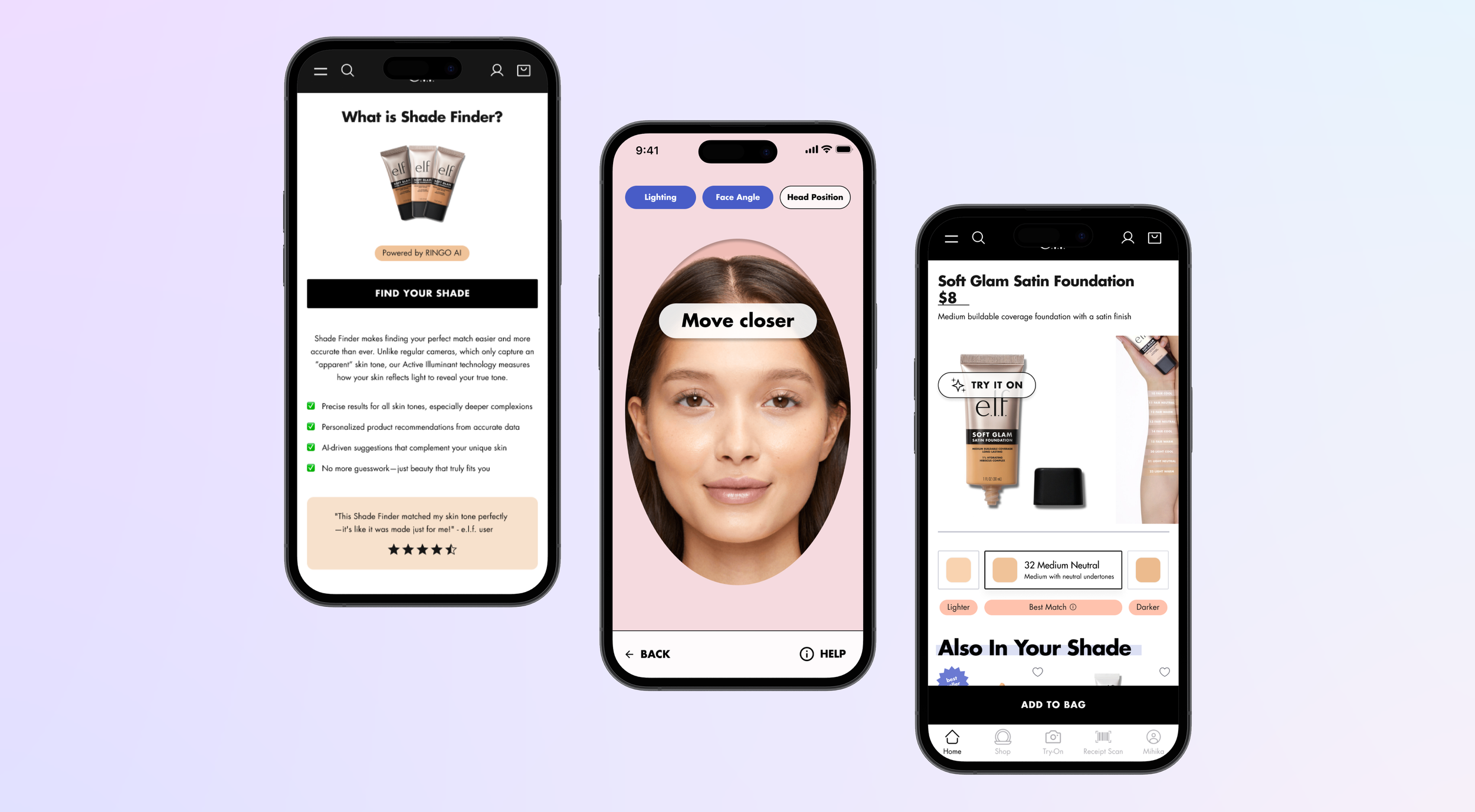
Designing a seamless, AI-powered experience for virtual foundation shade matching.
E.L.F. SHADE FINDER
AT A GLANCE
During my UX/UI Design Internship at e.l.f. Beauty, I helped design an AI-powered virtual shade finder that matched users to foundation shades using face-scanning technology. As a lead UI designer and UX researcher, I conducted competitive analysis, designed user flows, and ran Maze usability tests to create a seamless, confidence-building shopping experience.
ROLE & TEAM
Lead UX/UI Designer, alongside Ramon Martinez (Senior UX Manager)
SKILLS
Figma
Maze
UX Strategy
Interface Design
TIMELINE
Jun 2024 - Aug 2024
IMPACT

📈
25%
increase in conversion rate after redesign.
✅
88%
of users completed shade matching without assistance
🎯
50%
reduction in shade-match uncertainty after the redesign
PROBLEM
Users had no reliable way to find their shade online - and it was costing e.l.f. trust and conversions.
Many shoppers avoid buying complexion products online because they can't test shades in person — and 67% of beauty shoppers say they prefer testing foundation in-store for exactly this reason (NielsenIQ Beauty Trends Report).
That reliance on in-store testing was showing up directly in our own product:
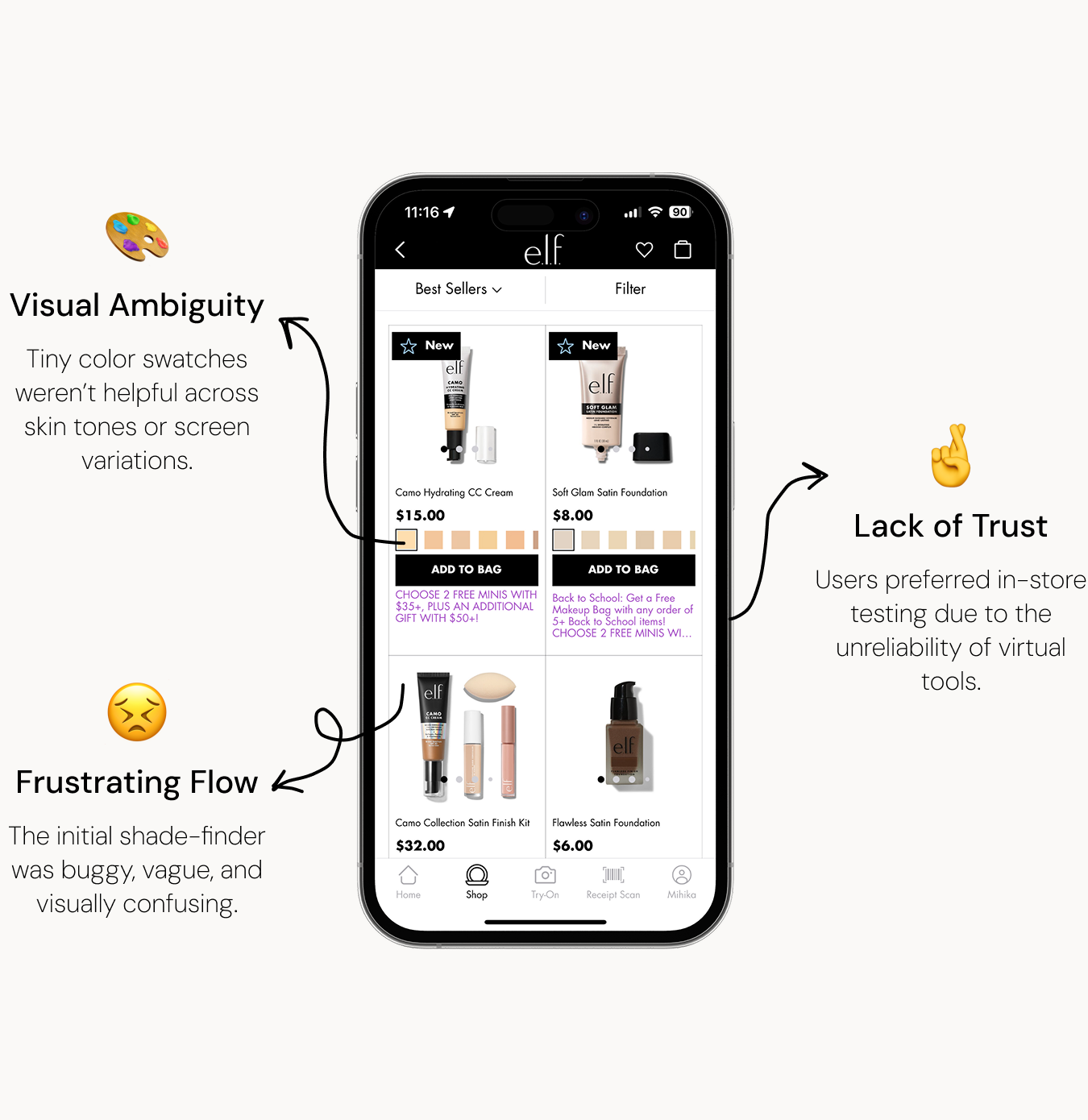
This led us to design based off of a guiding question:
“How might we help users confidently find their ideal shade virtually - without trial, error, or guesswork?”
INITIAL RESEARCH
The real opportunity wasn't more features - it was earning enough trust for shoppers to skip the store entirely.
Our target audience was beauty shoppers aged 18–35 who regularly buy makeup online and prioritize convenience, accuracy, and inclusivity in shade matching - largely mobile-first users looking for fast, low-effort recommendations.
As online beauty shopping grows, AI-powered shade finders are becoming a key differentiator for brands; getting this right meant improved trust, fewer returns, and stronger conversion.
We defined the problem from the user’s perspective:
"As an online shopper for foundation, tinted products, and concealers, I am unsure what shade best matches my skin because I cannot try on the product in person."
UX RESEARCH
Our Existing Flow
The current shade finder was clunky:
No visual confirmation that face alignment was correct
Long loading times and vague instructions
Unclear next steps
This told us we needed to rethink the entire interaction logic, not just the visual layer.

Competitive Analysis
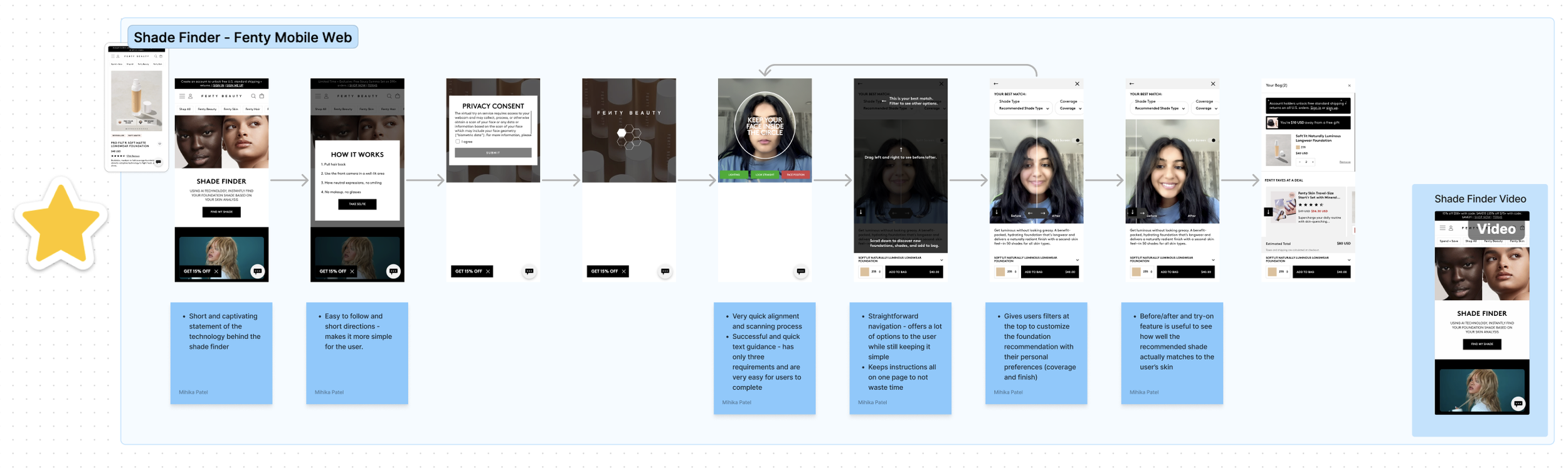
I evaluated each competitor on clarity of instruction, visual cues and AI flow, time to completion, and confidence in recommendations.
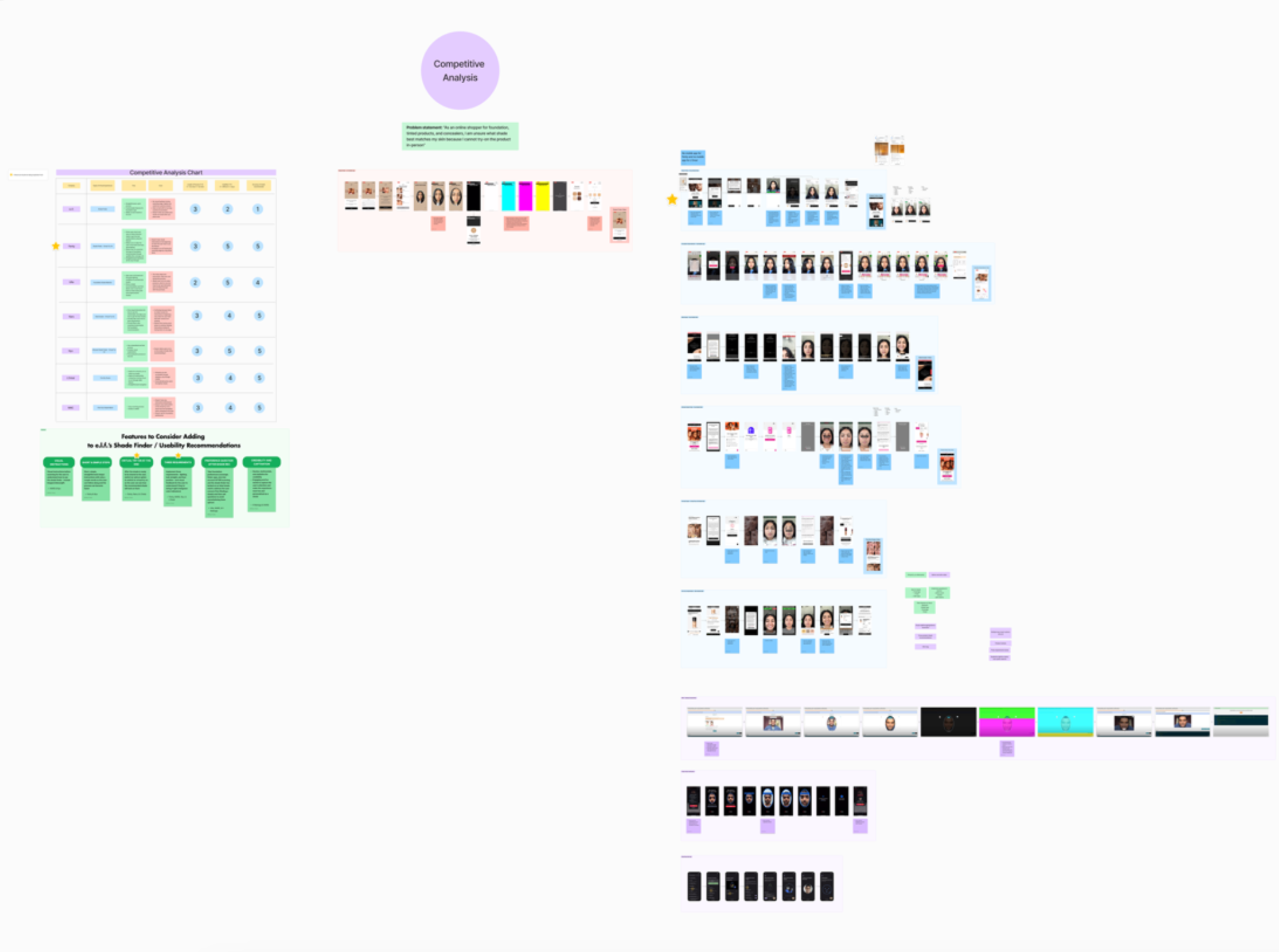
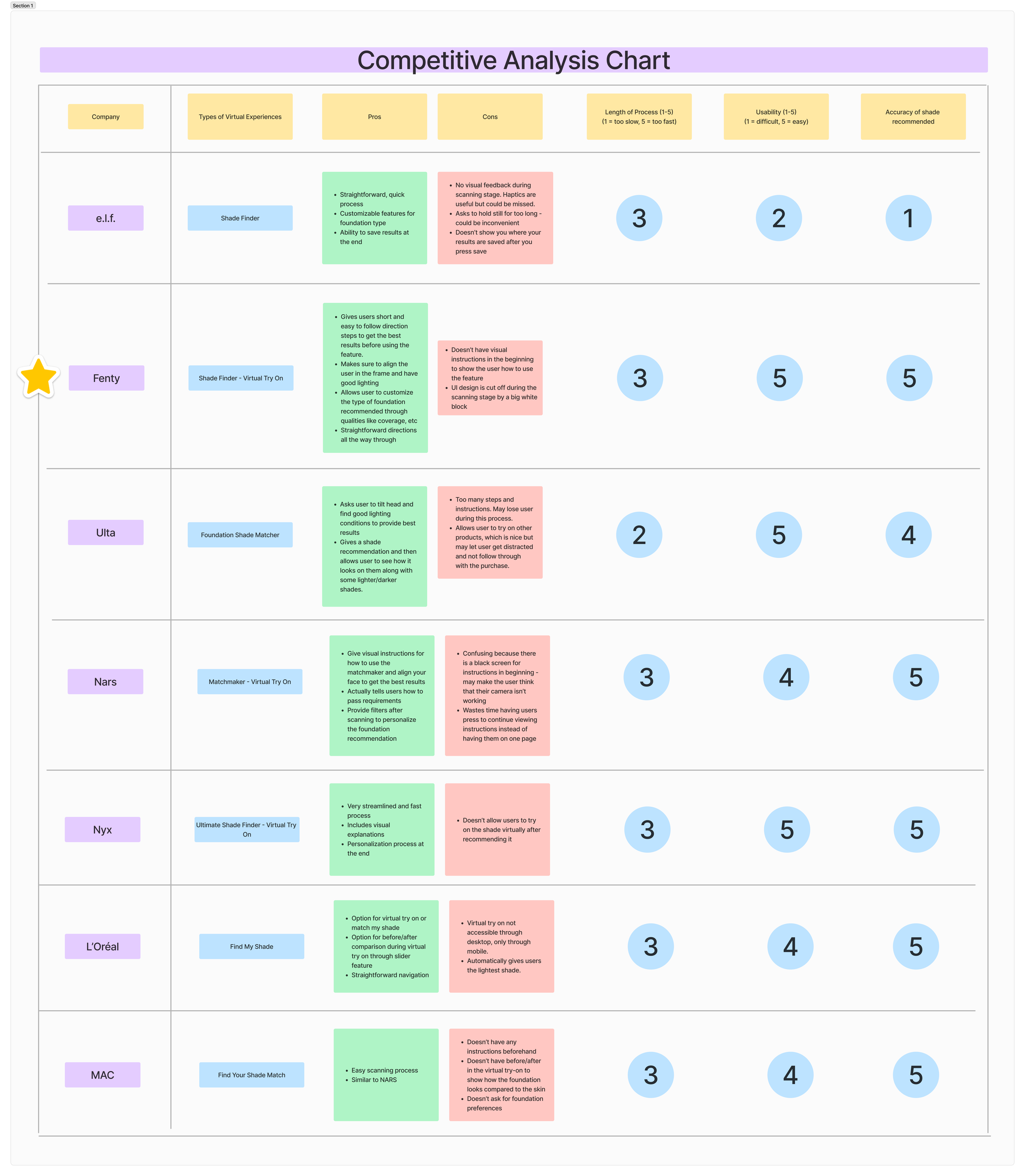
Fenty’s experience stood out for its ease and flow - clear instructions, fast scanning, and user-friendly visuals - making it our North Star.
Feature Recommendations
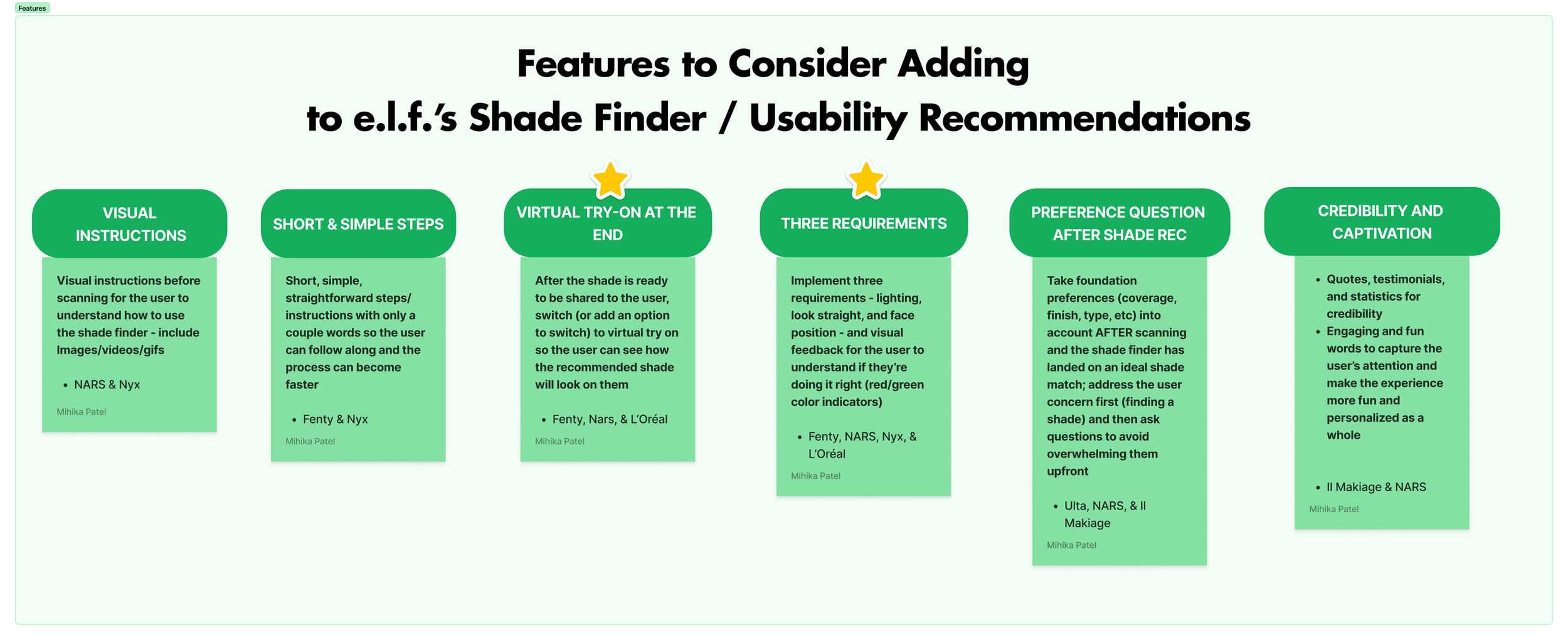
Based on competitor benchmarks and user pain points, I built a feature wish list that ultimately shaped the redesign - including clearer scanning guidance, a virtual try-on step, and stronger credibility signals around the AI itself.
Task Flows
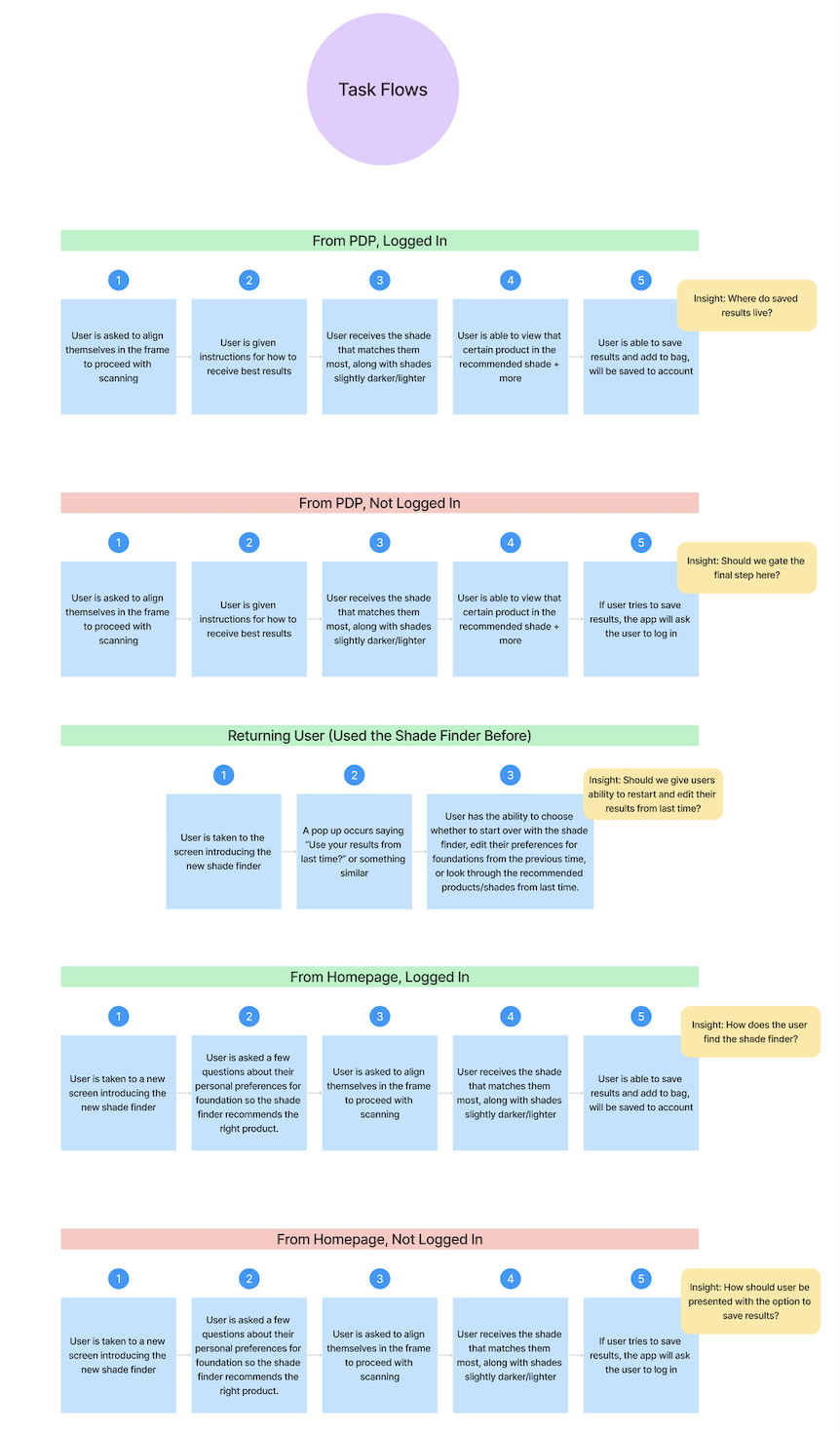
To serve different user types (logged-in vs. guest, first-time vs. returning), I mapped out multiple task flows.
These flows helped streamline the process and identify potential discrepancies between use cases. We ensured users would experience a consistent and accessible shade-matching journey, regardless of how they interacted with the tool.
DESIGN PROCESS
Mockups & Ideation
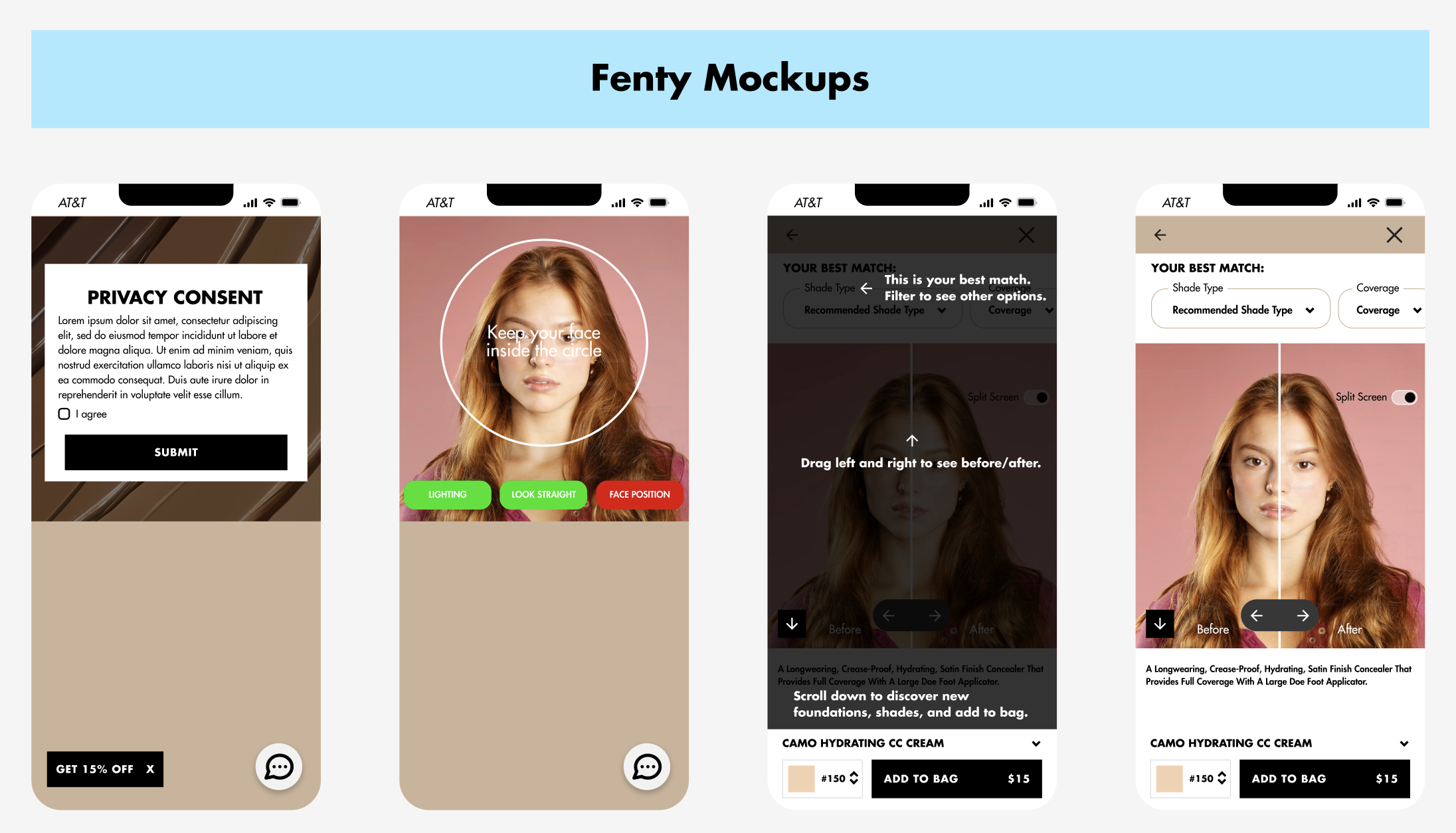
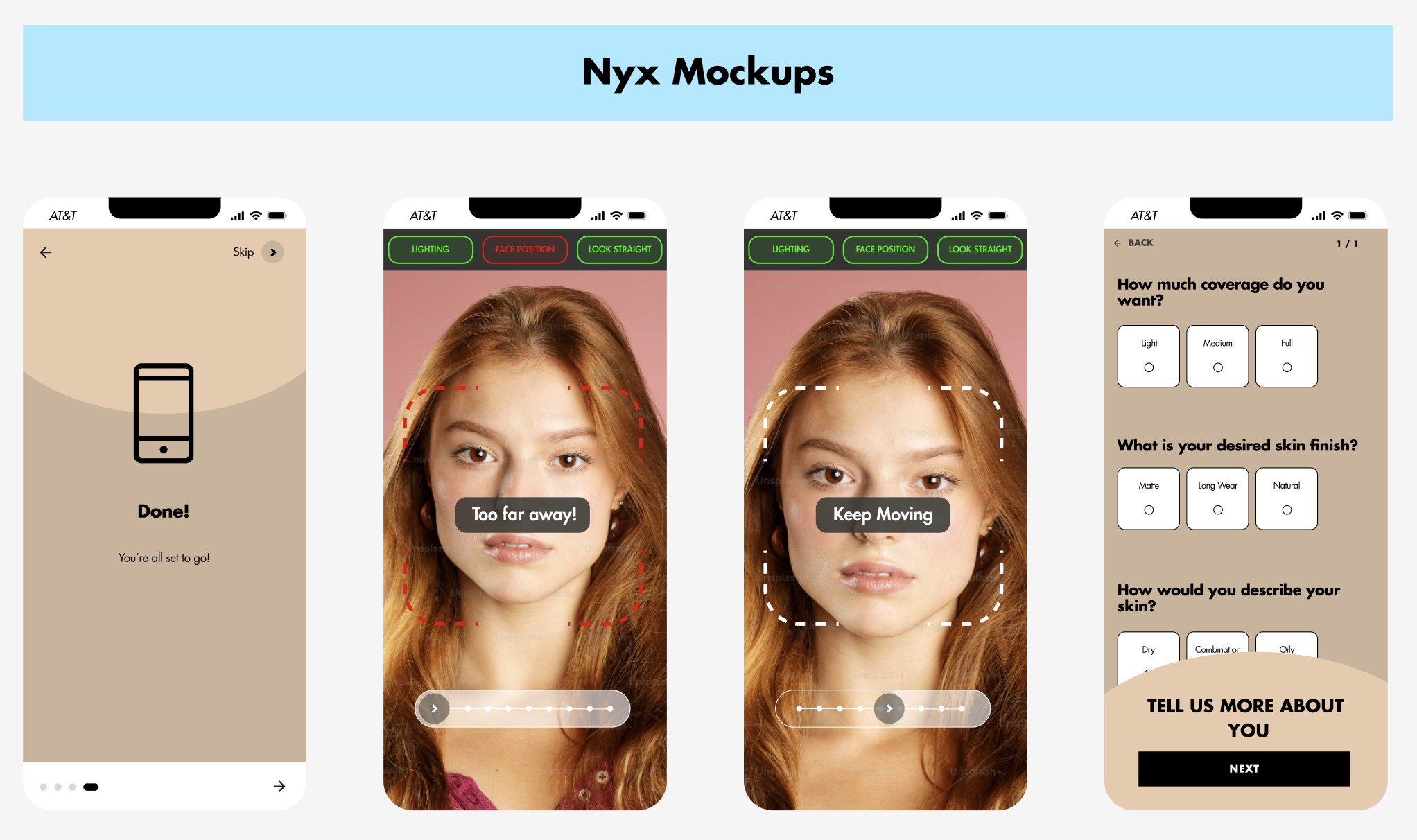
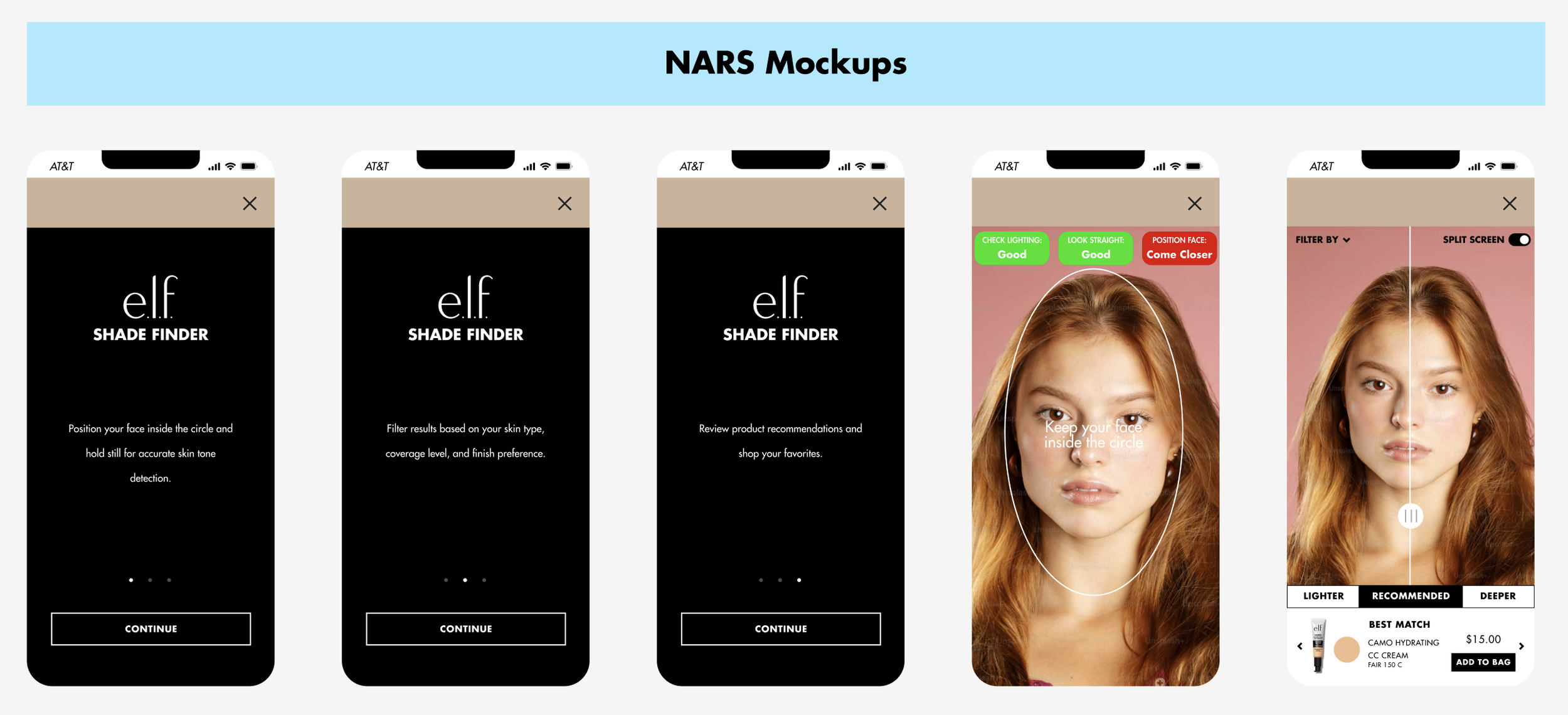
I built mockups of top-performing competitor flows using e.l.f. branding to understand the UI decisions driving their success, then explored multiple ways to signal scanning readiness to the user - including outlines, live visual feedback, and countdowns.
Full Flow Mapping
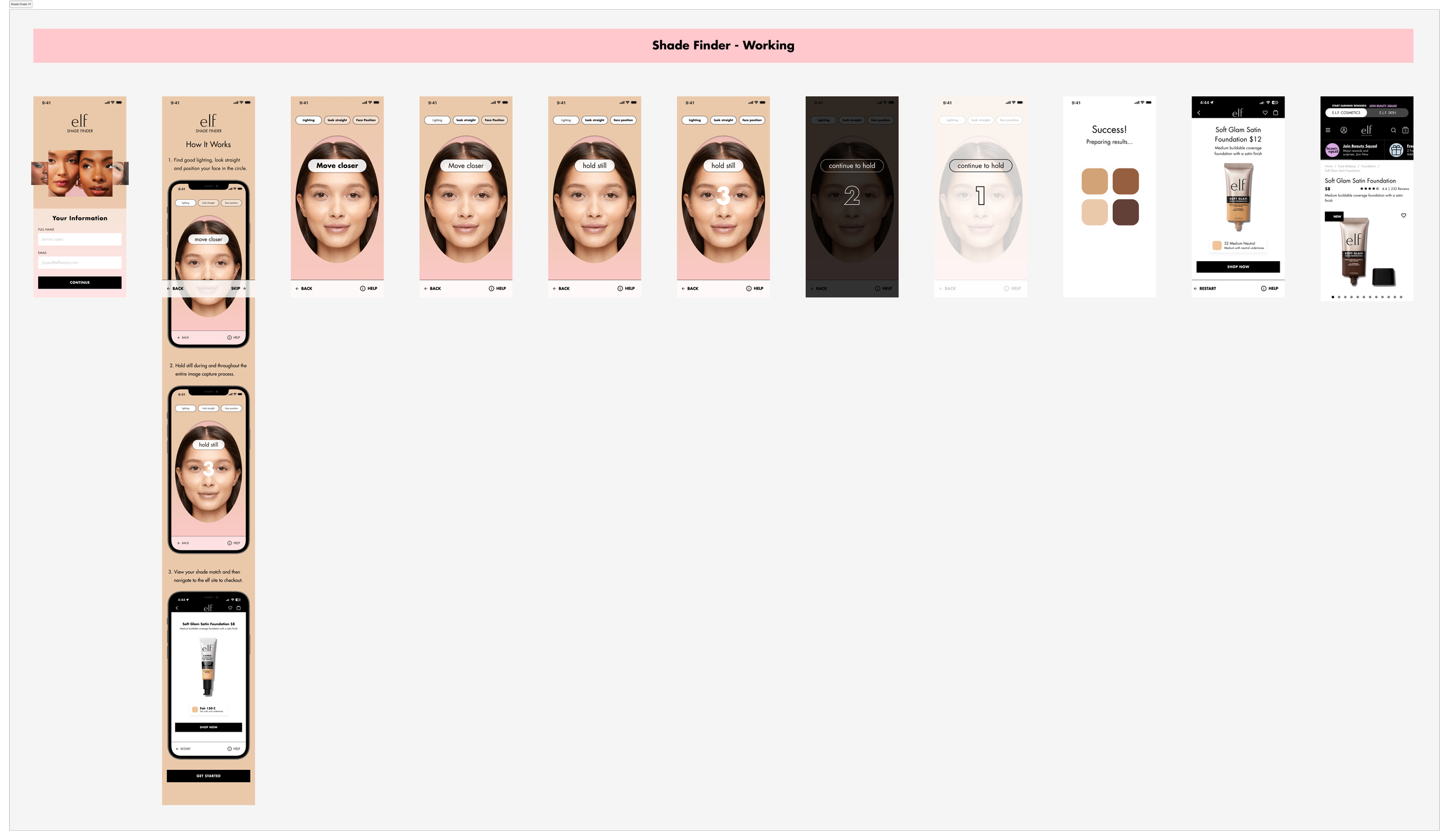
After several rounds of iteration and landing on a design, I plotted out the entire flow from login to the shade recommendation to get a feel of the product so far. Keeping brand consistency, I aligned typography, iconography, and spacing with e.l.f.’s evolving style guide.
A few strategic decisions included:
Short, directive instructions
Bold CTAs to improve conversion
Cross-sell opportunities post-shade match
Branding Review
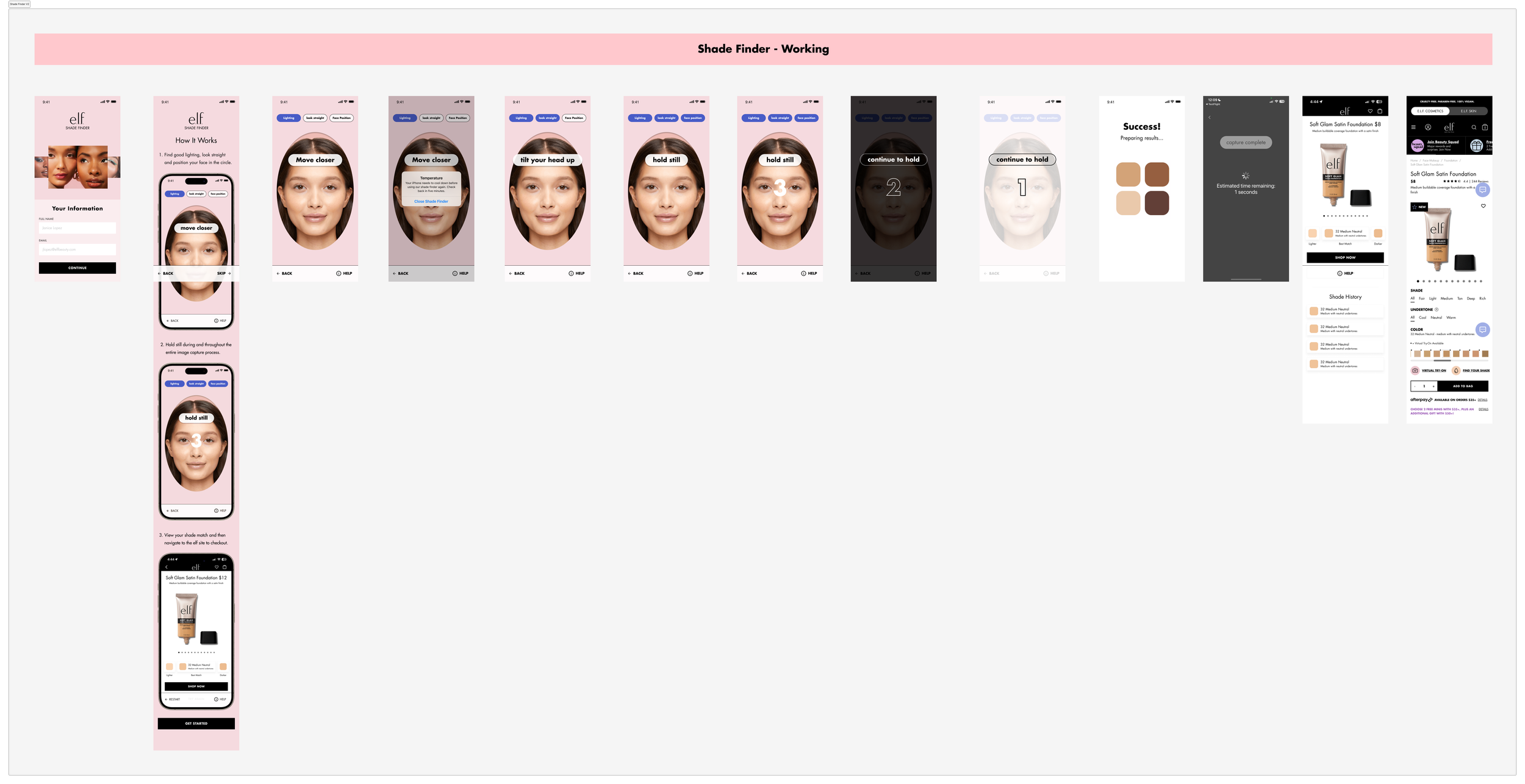
I led a deep dive into color and motion variations, opting for soft gradients and muted tones to keep the scanner UI non-distracting, while styling success states to celebrate the shade-match moment without overwhelming the interface.
USABILITY TESTING
Usability wasn't the problem - trusting the result was.
Setup
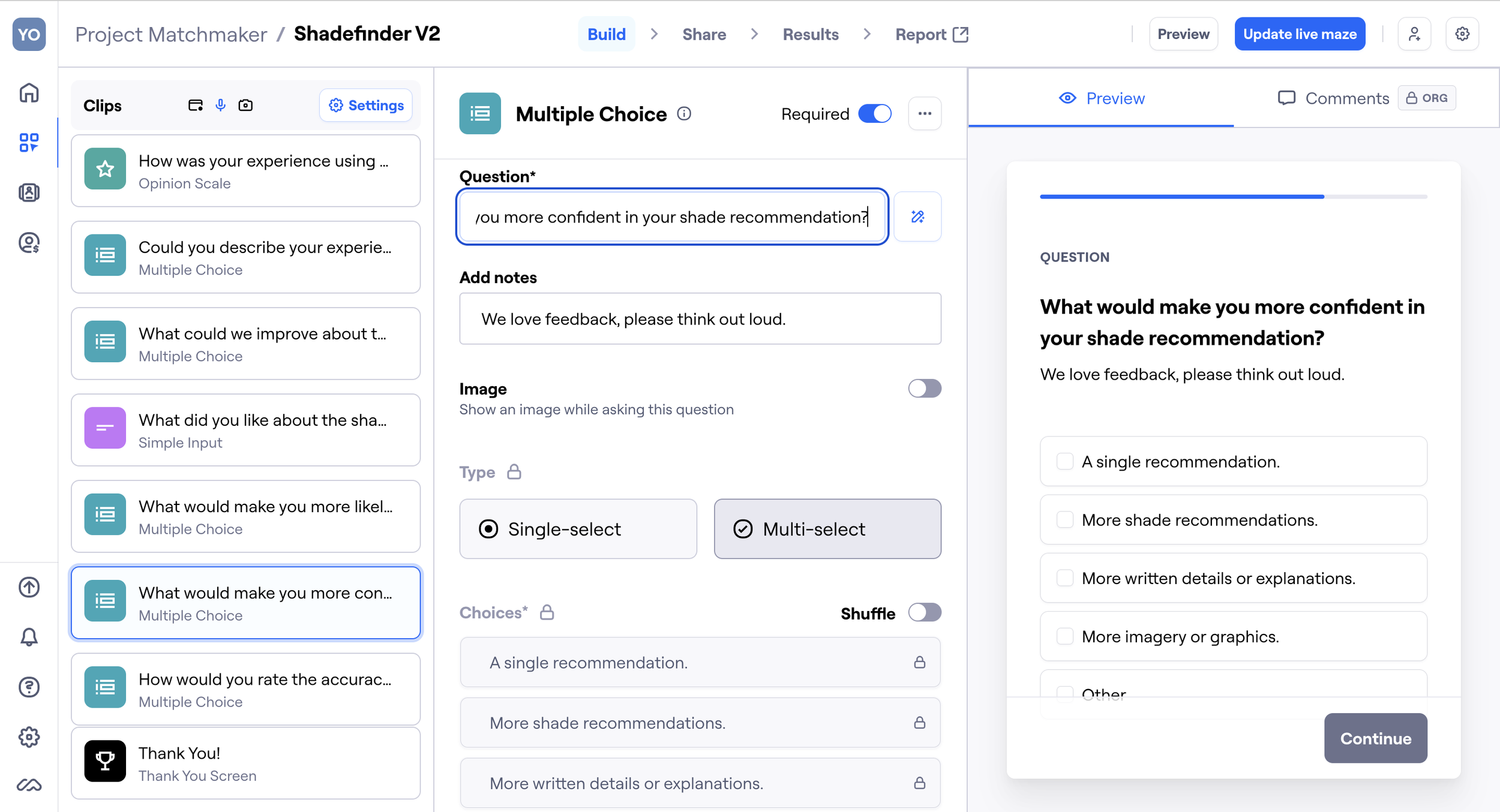
I designed a three-part usability test. The setup included:
1
Screener
Understanding the backgrounds of the users and their experience with online makeup shopping/products like shade finders.
2
Scenario
Situation for users to immerse themselves in before using our product: “Imagine you have found a new cosmetic product on the e.l.f. Mobile app, but you’re not sure which shade to purchase. You open the shadefinder to help you make a decision.”.
3
Survey
Gaging the users’ experience through post-task questions using multiple formats - rating scales, open responses, and qualitative feedback.
Feedback
Here's what users thought about our shade finder:
👍
88%
of users found the interface intuitive and appreciated being able to find their shade independently, without needing outside help.
👎
50%
of users were unsure about their match. Users wanted more visuals and explanations to boost confidence in the results.
"It was easy and straightforward to use, especially how my face should fit in the frame." ✅
USER A
"I wish there were more written details and explanations throughout the process." ❌
USER B
"More imagery and graphics would have been nice to have." ❌
USER D
"I like that it lets users find their shades without having to consult a professional make-up artist." ✅
USER C
"It was easy to use, and I also liked the format." ✅
USER E
FINAL TOUCHES
Design Decisions
With this testing data, I went back to the drawing board and made several adjustments.
1
Credibility Screen
Added a credibility screen explaining the AI technology behind the tool to enhance trust.
2
Instructions
Shortened the initial instructions and moved the more detailed ones to an easily accessible help button in the scanning stage.
3
UX Copy
Layered in fun, lighthearted, and empowering microcopy to humanize the flow
4
VTO & Confidence
Introduced a virtual try-on option and side-by-side comparisons with actual skin tones for more confidence in shade recommendations.
5
Cross Selling
Implemented an opportunity to increase user engagement with other products.
RESULTS
The redesign turned a frustration point into a 28% lift in conversion.
Through multiple rounds of design refinement, usability testing, and stakeholder feedback, the project boosted user engagement and trust in AI-driven recommendations, cut confusion, and streamlined the shade-finding journey end to end - strengthening the broader online shopping experience for complexion products.
Here's a screen recording from the launched version of our shade finder on the e.l.f. app!

TAKEAWAYS
Great UX doesn’t just look good - it earns trust.
By merging thoughtful interaction flows with AI technology and clean UI, I helped users feel confident shopping for complexion products online, even without in-person testing.
If I were to keep iterating, I would launch A/B tests for visual variations for the UI design, run live data testing to fine-tune shade accuracy by skin tone, and build out more complex personalization flows based on undertone, product preferences, and finish.